TuneIT brings instant pad triggering, structured playlists, waveform editing, crossfades, broadcast-clock monitoring and external control into one focused live playback app for macOS and Windows.
Choosing a Windows playback rig? Read our QLab alternative for Windows comparison.
Everything You Need to Run Playback Cleanly
Instant Pads
Trigger stings, walk-ons, emergency cues and repeat show moments instantly. Assign audio by drag and drop, colour-code pads and choose loop, toggle or retrigger behaviour.
For cue layout and rehearsal planning, read our theatre sound playback workflow.
Structured Playlists
Build ordered playlists for tuning, walk-in music, intros, VT playback and running-order audio, with clear transport controls and playlist locking for live use.
Waveform View + Trim Editing
Prepare cues visually with draggable in/out points, direct time entry, zoom, pan, a playhead and click-to-seek checking. Trim information stays with your project so prepared cues come back ready to use.

Playlist Automix Crossfade
For walk-in, tuning and preshow playlists, enable automix per playlist, choose the transition length and fade curve, and blend the next track before the current one finishes.

Detached Broadcast Clock
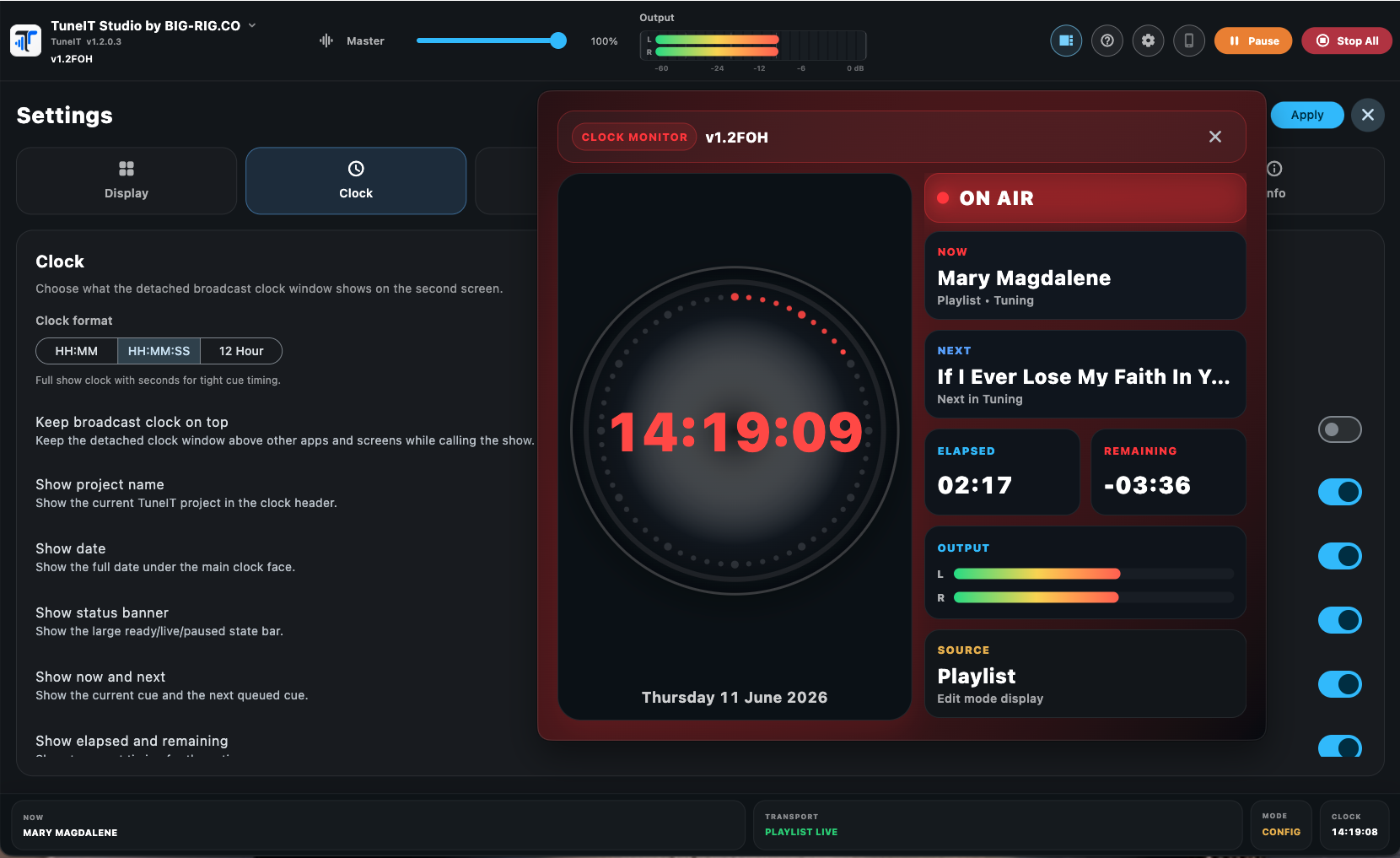
Open a dedicated second-screen clock showing the main clock, on-air state, now and next information, elapsed and remaining playback time, meters and source/project information. The clock can also be opened or focused through OSC.
Show Mode and Edit Mode
Prepare the project in Edit Mode, then switch into Show Mode to reduce accidental changes during live operation. The status bar keeps now-playing, transport, mode and clock information visible, while pad-size modes let the interface adapt to your screen.
MIDI, OSC, Stream Deck and Companion
Map actions to MIDI hardware, use OSC for networked show-control commands, and build tactile workflows with Stream Deck and Bitfocus Companion. TuneIT Remote adds mobile control while TuneIT Viewer gives crew read-only visibility.